Case study
Catering orders that reach the kitchen with a prep time, for a restaurant that took them by email
Canela Brava Cocina is a restaurant with two locations and a catering side that kept growing. Its kitchen heard about a catering order when the catering manager walked in and said so. This is the story of the Saturday when that was too late, and of the ordering page and the kitchen calendar that came after it.
- Company
- Canela Brava Cocina Restaurant with two locations and a catering side
- Industry
- Restaurants
- Location
- South Texas
- Size
- 70 employees, 2 locations
Before and after
What the software changes
-
Before A catering order arrives by email, and the kitchen finds out the morning it is due
After The order lands on the kitchen's catering calendar with a prep start time
-
Before Nobody checks whether there is time to make it
After The site checks the order against the menu's notice period before it takes payment
-
Before Catering quantities are left out of the produce and protein order
After The order's quantities are added to the next produce and protein order
-
Before The driver calls from the road for the address
After The driver's sheet has the address, the setup notes and a contact on site
The story
The business
Canela Brava Cocina is a restaurant in south Texas with two locations and about seventy employees. Lupita opened the first one with her mother's recipes. Marco, the chef, runs both kitchens from it, and the catering is cooked there too.
Catering began as a favor to regulars and kept growing: office lunches, graduation parties, the odd church supper. Jess, the catering manager, took orders by email and phone and kept them in a paper planner. The kitchen learned of each one when she told Marco.
The problem
On a Saturday morning in May, Marco was breaking down chickens for lunch when Jess came into the kitchen holding a printed email. A family wanted lunch for eighty at a graduation party: fajitas, rice, beans and barbacoa, at a rented hall at one that afternoon. The email had come on Wednesday night. Jess had answered yes from her phone, and then a rehearsal dinner took her Thursday and her Friday.
The barbacoa needed a night in the oven and had not had one. Thursday's produce and protein order had gone in without the party's skirt steak, so the walk-in held only enough for the dining room. Marco sent a prep cook to the grocery store for skirt steak and pulled two cooks off the line for rice and beans. Jess called the family and talked them into chicken instead of barbacoa.
The dining room paid for it at noon, when tickets backed up behind a line two cooks short. The driver left late. He called Jess from the road for the address, and again from the hall's parking lot to ask which door.
That night Lupita read the whole thread. Jess had said yes because catering had always said yes. At no point had anything asked whether the kitchen had time.
Lupita did not want a new point-of-sale system. The one in the dining rooms did its job. She wanted an order that could not be taken without the kitchen knowing, and knowing when to start.
What was built
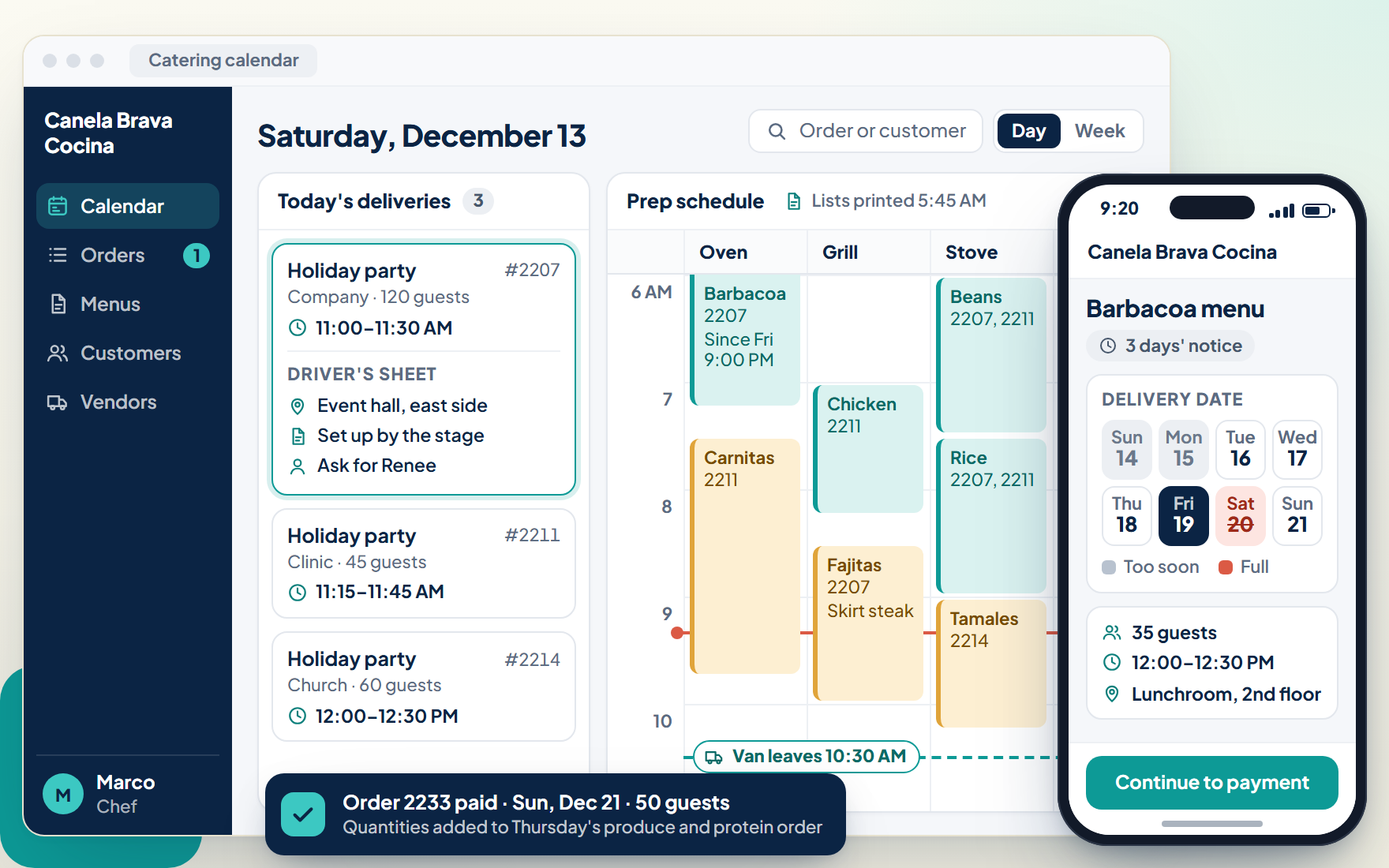
PlankByte built catering ordering for the restaurant's own website, joined to a calendar in the kitchen.
A customer chooses from the catering menu and gives a headcount, a delivery window and setup notes. Each menu has its own notice period, set by Marco: a taco bar needs less warning than barbacoa. The site checks the order against that notice before it takes payment, through the payment provider the restaurant already used, and sends a confirmation. Once the kitchen reaches its limit of large orders for a day, the site stops taking them.
Every item carries its prep and cook time. An order lands on the kitchen's catering calendar with a prep start time worked back from the delivery window, so Marco sees when to start, not only when the food is due. Its quantities are added to the next produce and protein order. On the morning of the delivery, prep lists print by station.
Jess no longer carries orders to the kitchen. Customers' contact details and order history stay with the restaurant, ready when an office orders again. The driver's sheet has the address, the setup notes and a contact on site.
The first weeks
The catering page went up in September. Jess's menus went onto the site, with her regular customers' contact details from her inbox and planner. Marco had to put a prep and cook time on every catering item. He knew them all and had never written one down.
Jess had a habit to break. When a customer emailed, she now sent the address of the catering page instead of a yes.
In the second week a longtime customer tried to order tamales for the next morning, and the site would not take it. She called Jess, annoyed. Jess explained the notice and offered the day after. Marco left the notice as it was.
A day now
On a Saturday in December, the kitchen had three holiday parties to send out, the largest for a hundred and twenty.
Marco had known about all three for more than a week. The barbacoa had gone into the oven on Friday night, because the calendar had put it on Friday. The extra skirt steak had come on Thursday's truck with the regular order. When the cooks came in, the prep lists printed, one for each station.
The driver left on time with a sheet for each stop: the address, where to set up, and who to ask for at the door. He did not call Jess.
At noon the tickets came steadily, and every cook was on the line.
PlankByte
Case study
Custom software for small businesses.
plankbyte.com/case-studies/restaurants-catering-orders/
Contact: plankbyte.com/contact/